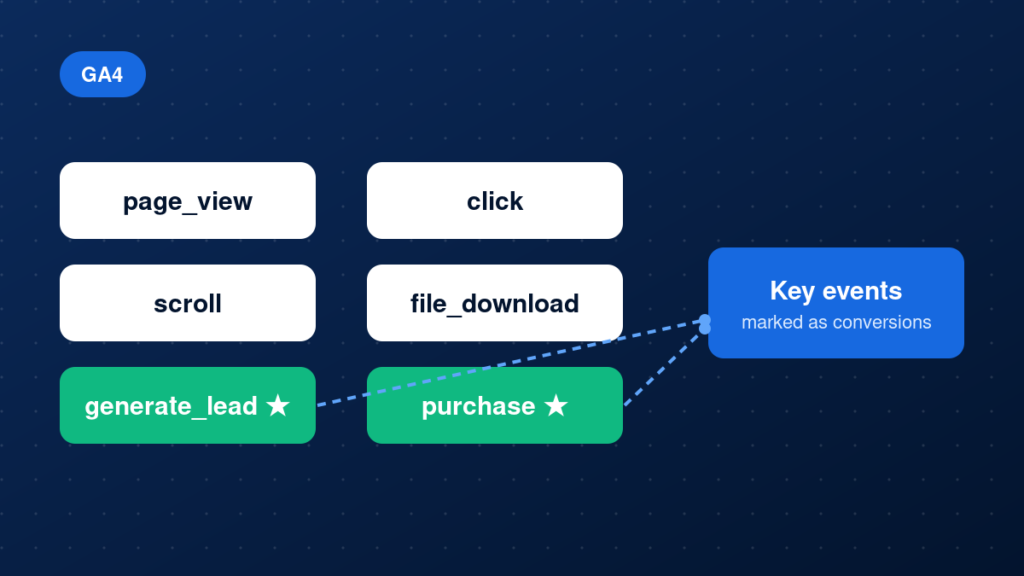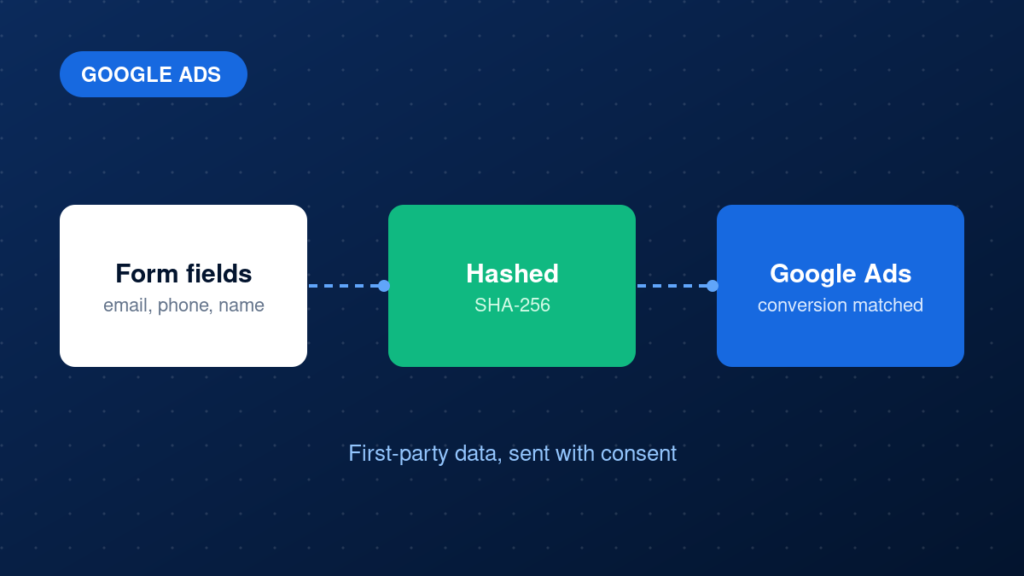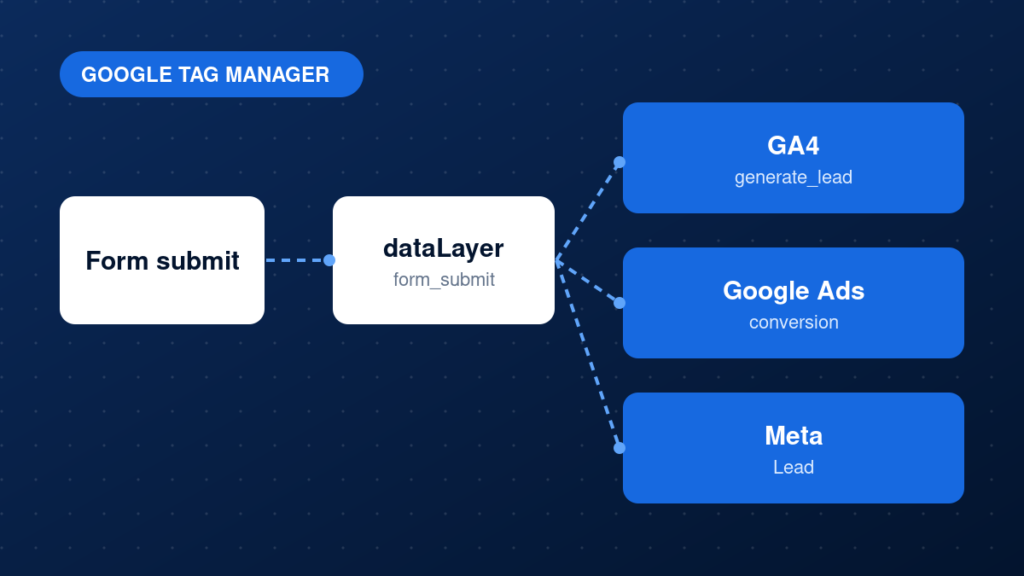
GA4 does not have goals the way Universal Analytics did. Instead, it records events, and you mark the important ones as key events (formerly called conversions). Getting this right is what turns GA4 from a traffic report into a measurement system for leads and revenue. This guide covers how to plan events, send them with useful parameters, mark key events and validate the result.
Key takeaways
- Events are actions; key events are the events that matter to your business.
- Use recommended event names such as generate_lead and purchase where they exist.
- Add parameters like value and currency so reports are actually useful.
- Confirm every event in DebugView before you mark it as a key event.
Why GA4 conversion tracking often goes wrong
The common failures are predictable. Teams mark page_view or a button click as a conversion and end up with inflated numbers. Events fire twice because GA4 is installed both in GTM and in the theme. Or the event fires, but without a value, so revenue reports stay empty. None of these show an error message, which is why they go unnoticed for months.
If you want this configured and validated end to end, our GA4 configuration service covers it.
Step-by-step implementation
1. Decide which actions count as conversions
Pick the few actions that represent real business value, for example a submitted lead form, a booking, a phone click or a purchase. Everything else stays as a regular event.
2. Choose event names
Use Google recommended names when one fits, such as generate_lead, sign_up, purchase or begin_checkout. For anything custom, use lowercase names with underscores and keep them short and consistent.
3. Send the event with parameters
Send the event from GTM with a GA4 event tag, or directly from your site. Include parameters that describe the action, such as value, currency, form_name or transaction_id. Register any custom parameter as a custom dimension in GA4 if you want it in reports.
4. Mark the event as a key event
In GA4, go to Admin, then Events, and turn on the key event toggle for the event. Key events are not retroactive, so do this as soon as the event is tracked correctly.
5. Link Google Ads if you advertise
Link your GA4 property to Google Ads and import the key events you want to use for bidding. Decide whether GA4 or a Google Ads tag is the primary source, and avoid counting the same action twice.
Example: a GA4 lead event in the dataLayer
window.dataLayer.push({
  event: 'generate_lead',
  value: 50,
  currency: 'USD',
  form_name: 'contact_form'
});
Common mistakes
- Marking page_view or scroll as a conversion.
- Counting the same action as both a GA4 key event and a separate Google Ads tag without a plan.
- Sending events without value or currency when revenue matters.
- Using different event names for the same action on different pages.
- Forgetting that key events only count from the moment you mark them.
Testing and validation
Enable debug mode through GTM Preview, then open Admin, DebugView in GA4. Perform the action on your site and check that the event appears once, with the expected parameters and values. After a day, confirm the event shows up in the Events report and, once marked, in the Key events report. For purchases, compare a test transaction against your shop order.
Practical checklist
- Conversion actions defined and agreed
- Event names follow one convention
- Parameters such as value and currency included
- Events verified in DebugView
- Key event toggle turned on
- Custom dimensions registered where needed
- Google Ads link and import reviewed
- No duplicate GA4 installation on the site
FAQ
What is the difference between a conversion and a key event in GA4?
Google renamed conversions to key events in GA4. They are the same idea: events you mark as important to your business. Google Ads has its own conversion actions. See GA4 events vs conversions for more detail.
How long until a key event appears in reports?
Events show in DebugView almost immediately. Standard reports can take up to a day, so validate in DebugView first.
Can I track conversions without GTM?
Yes, with gtag.js or a plugin, but GTM makes it easier to manage, test and change events without editing site code.
Next steps
Accurate GA4 conversions are the base for reliable reporting and ad optimisation. If your numbers do not match reality, our GA4 configuration and tracking audit services can find and fix the gaps. You may also like why Google Ads conversions are not tracking.